Even though this post will
illustrate the steps I have used to perform the upgrade, its main
objective is to demonstrate how Oracle will behave in face of the
following situation:
- Prior to performing the upgrade, we will unplug the PDBDEV database
- Perform the upgrade of the CDB as well as any remaining plugged PDBs. We will be upgrading the database from 12.1.0.1.4 to 12.1.0.2.0.
- Once the upgrade has been performed, we will then attempt to plug the PDBDEV back to the CDB in order to test whether Oracle will automatically upgrade it or not.
select banner from v$version;
BANNER
--------------------------------------------------------------------------------
Oracle Database 12c Enterprise Edition Release 12.1.0.1.0 - 64bit Production
PL/SQL Release 12.1.0.1.0 - Production
CORE 12.1.0.1.0 Production
TNS for Linux: Version 12.1.0.1.0 - Production
NLSRTL Version 12.1.0.1.0 - Production
Note that even though v$version displays 12.1.0.1.0, I have already applied the latest CPU as follows:
set linesize 200
col comments for a40
col action_time for a30
select action_time, con_id, action, comments from cdb_registry_history order by action_time,con_id;
ACTION_TIME CON_ID ACTION COMMENTS
------------------- ---------- ------ --------------
30/04/2014 16:59:17 1 APPLY PSU 12.1.0.1.1
30/04/2014 16:59:45 2 APPLY PSU 12.1.0.1.1
30/04/2014 16:59:45 3 APPLY PSU 12.1.0.1.1
30/04/2014 16:59:45 4 APPLY PSU 12.1.0.1.1
16/07/2014 14:40:52 1 APPLY PSU 12.1.0.1.4
16/07/2014 14:41:11 2 APPLY PSU 12.1.0.1.4
16/07/2014 14:41:19 3 APPLY PSU 12.1.0.1.4
16/07/2014 14:41:26 4 APPLY PSU 12.1.0.1.4
The CDB to be upgraded contains the following PDBs:
select con_id, name from v$pdbs;
CON_ID NAME
---------- ------------------------------
2 PDB$SEED
3 PDBPROD
4 PDBDEV
I am running Oracle Grid Infrastructure for a standalone server on this same machine. For the sake of simplicity, I will not be describing the upgrade process of GI. I will, however, detail the upgrade process for the database.
The Oracle Grid Infrastructure software version must be greater or equal to the software version of the databases it manages.
Since my goal is to upgrade the database to 12.1.0.2, I have previously upgraded BI to be on the same version as follows:
[oracle@12c grid]$ crsctl query has softwareversion
Oracle High Availability Services version on the local node is [12.1.0.2.0]
So, now that GI software version is on the same level as our intended level for the database software, we will proceed with the database upgrade.
However, as the defined in the objectives, we also want to test Oracle's 12c PDB hability to upgrade a PDB on the fly once it is plugged back in a CDB that has been updated.
At this point, we go ahead and unplug the PDBDEV pluggable database from the CDB while the CDB and all its PDBs are still on version 12.1.0.1:
Place the pluggable database in MOUNT mode if it is not already :
select name, open_mode from v$pdbs;
NAME OPEN_MODE
------------------------------ ----------
PDB$SEED READ ONLY
PDBPROD MOUNTED
PDBDEV READ ONLY
alter pluggable database PDBDEV close;
Pluggable database altered.
select name, open_mode from v$pdbs;
NAME OPEN_MODE
------------------------------ ----------
PDB$SEED READ ONLY
PDBPROD MOUNTED
PDBDEV MOUNTED
Here, we will make use of the SQL statement to unplug the pluggable database. However, this same process can be done via GUI using DBCA:
ALTER PLUGGABLE DATABASE PDBDEV UNPLUG INTO '/u01/app/oracle/unplugged_databases/pdbdev.xml';
Pluggable database altered.
The XML file has been generated on the specified location as follows:
[oracle@12c unplugged_databases]$ pwd
/u01/app/oracle/unplugged_databases
[oracle@12c unplugged_databases]$ ll -lh
total 8.0K
-rw-r--r-- 1 oracle asmadmin 4.9K Jul 24 12:59 pdbdev.xml
Confirm that the PDB has been unplugged:
set linesize 200
col pdb_name for a30
select pdb_name, status from cdb_pdbs;
PDB_NAME STATUS
------------------------------ -------------
PDB$SEED NORMAL
PDBPROD NORMAL
Now that we have unplugged the PDBDEV database, we will drop its reference from the CDB so that the DBUA upgrade process doesn't fail.
drop pluggable database pdbdev;
Pluggable database dropped.
Note that the above statement only removes the PDB reference from the CDB. The database files pertaining to the PDBDEV pluggable databases are kept on disk.
Once we upgrade the CDB, we will attempt to plug back the 12.1.0.1 PDBDEV database. The process plugin process should automatically upgraded it to 12.1.0.2.
We will now, proceed with the database upgrade as follows:
oracle@12c database]$ ./runInstaller

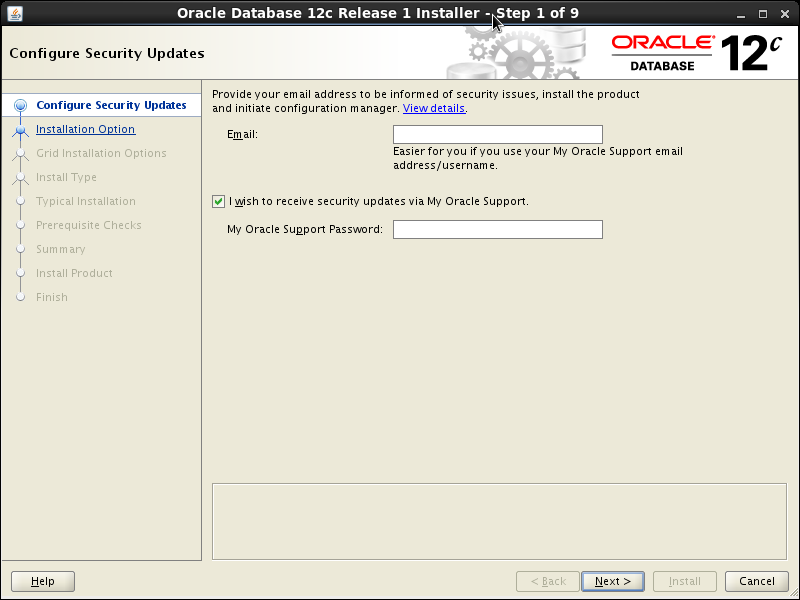


This is an out-of-place upgrade. An empty directory must be selected:


Run the script as directed in the screen message:

[oracle@12c 12.1.0]$ su - root
Password:
[root@12c ~]# /u01/app/oracle/product/12.1.0.2/root.sh
Performing root user operation.
The following environment variables are set as:
ORACLE_OWNER= oracle
ORACLE_HOME= /u01/app/oracle/product/12.1.0.2
Enter the full pathname of the local bin directory: [/usr/local/bin]:
The contents of "dbhome" have not changed. No need to overwrite.
The contents of "oraenv" have not changed. No need to overwrite.
The contents of "coraenv" have not changed. No need to overwrite.
Entries will be added to the /etc/oratab file as needed by
Database Configuration Assistant when a database is created
Finished running generic part of root script.
Now product-specific root actions will be performed.
[root@12c ~]#
DBUA
The Database Upgrade Assistant is automatically opened as the last step.
At this point, all binaries 12.1.0.2 binaries have been installed onto
the new ORACLE_HOME. The DBUA will perform the upgrade of the database
dictionary as well as allowing it to run from the new ORACLE_HOME.

This is the explanation for each option found on the above screen:
Upgrade Oracle Database: Upgrade your existing Oracle database version to Oracle Database 12c Release 1.
Move Database from a different release 12.1 Oracle Home: This option can be used to migrate your database from the present Oracle home to another Oracle home of the same version.


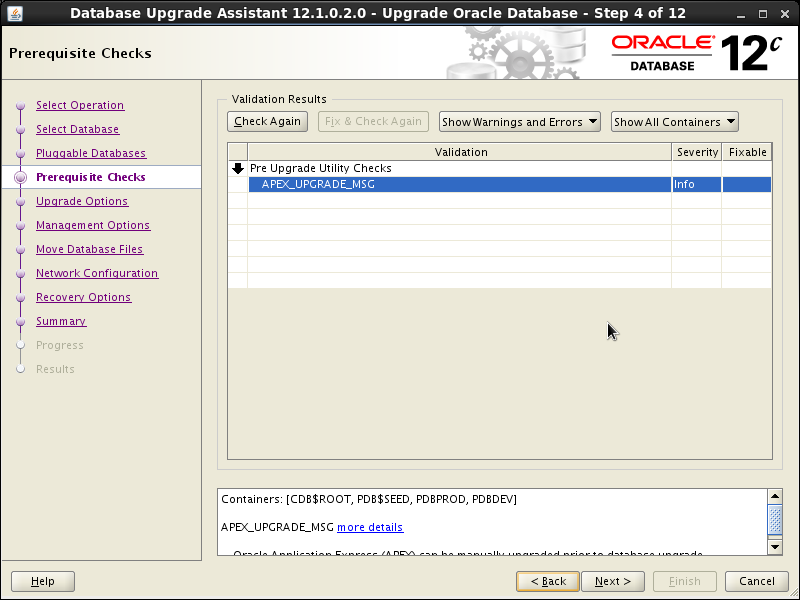


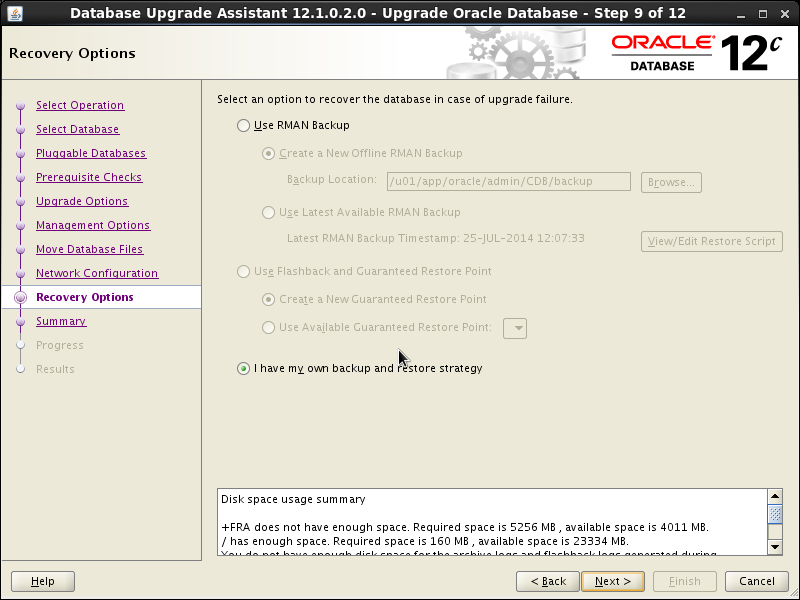


Once the upgrade is done, you can click on the upgrade results button to have a more detailed look at the upgrade process:

The upgrade process generates a large amount of REDO, so, make sure you backup your database plus archived logs once the upgrade process has finished. This is not strictly necessary but it could save us a great deal of time if we have to perform a recovery prior to the next scheduled database backup.
Plugging back the PDBDEV database
We may now attempt to plug the PDBDEV datababase back into the CDB.
Checking v$version:
select banner from v$version;
BANNER
--------------------------------------------------------------------------------
Oracle Database 12c Enterprise Edition Release 12.1.0.2.0 - 64bit Production
PL/SQL Release 12.1.0.2.0 - Production
CORE 12.1.0.2.0 Production
TNS for Linux: Version 12.1.0.2.0 - Production
NLSRTL Version 12.1.0.2.0 - Production
Issuing the CREATE PLUGGABLE DATABASE command:
SQL> create pluggable database pdbdev using '/u01/app/oracle/unplugged_databases/pdbdev.xml' ;
Pluggable database created.
Alert log contents:
create pluggable database pdbdev using '/u01/app/oracle/unplugged_databases/pdbdev.xml'
Mon Jul 28 15:45:58 2014
****************************************************************
Pluggable Database PDBDEV with pdb id - 4 is created as UNUSABLE.
If any errors are encountered before the pdb is marked as NEW,
then the pdb must be dropped
****************************************************************
Database Characterset for PDBDEV is AL32UTF8
Mon Jul 28 15:46:13 2014
Deleting old file#29 from file$
Deleting old file#30 from file$
Deleting old file#31 from file$
Deleting old file#32 from file$
Adding new file#33 to file$(old file#29)
Adding new file#34 to file$(old file#30)
Adding new file#35 to file$(old file#31)
Adding new file#36 to file$(old file#32)
Successfully created internal service pdbdev.xps15z.com at open
ALTER SYSTEM: Flushing buffer cache inst=0 container=4 local
****************************************************************
Post plug operations are now complete.
Pluggable database PDBDEV with pdb id - 4 is now marked as NEW.
****************************************************************
Completed: create pluggable database pdbdev using '/u01/app/oracle/unplugged_databases/pdbdev.xml'
Checking the pluggable database PDBDEV mode, state and version:
select name, open_mode from v$pdbs;
NAME OPEN_MODE
------------------------------ ----------
PDB$SEED READ ONLY
PDBPROD READ WRITE
PDBDEV MOUNTED
select pdb_name, status, vsn from cdb_pdbs;
PDB_NAME STATUS VSN
-------------------- --------- ----------
PDB$SEED NORMAL 202375680
PDBPROD NORMAL 202375680
PDBDEV NEW 202375424
The PDBDEV pluggable database was plugged in successfully and it was left in MOUNT mode.
We can also see that the VSN column from CDB_PDBS view shows the pluggable database as being on a previous version.
We will proceed and attempt to open the PDBDEV pluggable database which is on a different version to see what happens:
SQL> alter pluggable database PDBDEV open;
Warning: PDB altered with errors.
Ouch! That was not what I was expecting...
So, it does not perform the upgrade automatically. Let's investigate where we are at
select name, open_mode from v$pdbs;
NAME OPEN_MODE
------------------------------ ----------
PDB$SEED READ ONLY
PDBPROD READ WRITE
PDBDEV MIGRATE
Alert Log:
alter pluggable database PDBDEV open
Mon Jul 28 15:57:19 2014
Pluggable database PDBDEV dictionary check beginning
Pluggable Database PDBDEV Dictionary check complete
Database Characterset for PDBDEV is AL32UTF8
***************************************************************
WARNING: Pluggable Database PDBDEV with pdb id - 4 is
altered with errors or warnings. Please look into
PDB_PLUG_IN_VIOLATIONS view for more details.
***************************************************************
select time, status, message from pdb_plug_in_violations;
TIME STATUS MESSAGE
-------------------- --------- ---------------------------------------------------------------------------------
28/07/2014 15:57:21 PENDING PDB's version does not match CDB's version: PDB's version 12.1.0.1.0. CDB's versi
on 12.1.0.2.0.
As we can see from the above, it
does not perform the upgrade automatically for us, we must perform the
following manual steps to upgrade the pluggable database from 12.1.0.1
to 12.1.0.2:
alter session set container=PDBDEV;
Session altered.
alter pluggable database PDBDEV close;
Pluggable database altered.
alter pluggable database PDBDEV open upgrade;
Warning: PDB altered with errors.
It turns out that the upgrade process takes quite a while to finish. We are upgrading the PDBDEV database using the catcon.pl perl script provided by oracle:
The following is the output from catcon.pl:
[oracle@12c
admin]$ /u01/app/oracle/product/12.1.0.2/perl/bin/perl catctl.pl -d
/u01/app/oracle/product/12.1.0.2/rdbms/admin/ -l /tmp/pdb_upgrade -c
'PDBDEV' catupgrd.sql
Argument list for [catctl.pl]
SQL Process Count n = 0
SQL PDB Process Count N = 0
Input Directory d = /u01/app/oracle/product/12.1.0.2/rdbms/admin/
Phase Logging Table t = 0
Log Dir l = /tmp/pdb_upgrade
Script s = 0
Serial Run S = 0
Upgrade Mode active M = 0
Start Phase p = 0
End Phase P = 0
Log Id i = 0
Run in c = PDBDEV
Do not run in C = 0
Echo OFF e = 1
No Post Upgrade x = 0
Reverse Order r = 0
Open Mode Normal o = 0
Debug catcon.pm z = 0
Debug catctl.pl Z = 0
Display Phases y = 0
Child Process I = 0
catctl.pl version: 12.1.0.2.0
Oracle Base = /u01/app/oracle
Analyzing file /u01/app/oracle/product/12.1.0.2/rdbms/admin//catupgrd.sql
Log files in /tmp/pdb_upgrade
catcon: ALL catcon-related output will be written to /tmp/pdb_upgrade/catupgrd_catcon_8421.lst
catcon: See /tmp/pdb_upgrade/catupgrd*.log files for output generated by scripts
catcon: See /tmp/pdb_upgrade/catupgrd_*.lst files for spool files, if any
Number of Cpus = 1
Parallel PDB Upgrades = 2
SQL PDB Process Count = 2
SQL Process Count = 0
New SQL Process Count = 1
[CONTAINER NAMES]
CDB$ROOT
PDB$SEED
PDBPROD
PDBDEV
PDB Inclusion:[PDBDEV] Exclusion:[]
Starting
[/u01/app/oracle/product/12.1.0.2/perl/bin/perl
catctl.pl -d /u01/app/oracle/product/12.1.0.2/rdbms/admin/ -l
/tmp/pdb_upgrade -c 'PDBDEV' -I -i pdbdev -n 2 catupgrd.sql]
Argument list for [catctl.pl]
SQL Process Count n = 2
SQL PDB Process Count N = 0
Input Directory d = /u01/app/oracle/product/12.1.0.2/rdbms/admin/
Phase Logging Table t = 0
Log Dir l = /tmp/pdb_upgrade
Script s = 0
Serial Run S = 0
Upgrade Mode active M = 0
Start Phase p = 0
End Phase P = 0
Log Id i = pdbdev
Run in c = PDBDEV
Do not run in C = 0
Echo OFF e = 1
No Post Upgrade x = 0
Reverse Order r = 0
Open Mode Normal o = 0
Debug catcon.pm z = 0
Debug catctl.pl Z = 0
Display Phases y = 0
Child Process I = 1
catctl.pl version: 12.1.0.2.0
Oracle Base = /u01/app/oracle
Analyzing file /u01/app/oracle/product/12.1.0.2/rdbms/admin//catupgrd.sql
Log files in /tmp/pdb_upgrade
catcon: ALL catcon-related output will be written to /tmp/pdb_upgrade/catupgrdpdbdev_catcon_8503.lst
catcon: See /tmp/pdb_upgrade/catupgrdpdbdev*.log files for output generated by scripts
catcon: See /tmp/pdb_upgrade/catupgrdpdbdev_*.lst files for spool files, if any
Number of Cpus = 1
SQL PDB Process Count = 2
SQL Process Count = 2
[CONTAINER NAMES]
CDB$ROOT
PDB$SEED
PDBPROD
PDBDEV
PDB Inclusion:[PDBDEV] Exclusion:[]
------------------------------------------------------
Phases [0-73]
Container Lists Inclusion:[PDBDEV] Exclusion:[]
Serial Phase #: 0 Files: 1 Time: 33s PDBDEV
Serial Phase #: 1 Files: 5 Time: 47s PDBDEV
Restart Phase #: 2 Files: 1 Time: 0s PDBDEV
Parallel Phase #: 3 Files: 18 Time: 28s PDBDEV
Restart Phase #: 4 Files: 1 Time: 0s PDBDEV
Serial Phase #: 5 Files: 5 Time: 19s PDBDEV
Serial Phase #: 6 Files: 1 Time: 8s PDBDEV
Serial Phase #: 7 Files: 4 Time: 14s PDBDEV
Restart Phase #: 8 Files: 1 Time: 0s PDBDEV
Parallel Phase #: 9 Files: 62 Time: 119s PDBDEV
Restart Phase #:10 Files: 1 Time: 0s PDBDEV
Serial Phase #:11 Files: 1 Time: 19s PDBDEV
Restart Phase #:12 Files: 1 Time: 0s PDBDEV
Parallel Phase #:13 Files: 91 Time: 9s PDBDEV
Restart Phase #:14 Files: 1 Time: 0s PDBDEV
Parallel Phase #:15 Files: 111 Time: 33s PDBDEV
Restart Phase #:16 Files: 1 Time: 0s PDBDEV
Serial Phase #:17 Files: 3 Time: 2s PDBDEV
Restart Phase #:18 Files: 1 Time: 0s PDBDEV
Parallel Phase #:19 Files: 32 Time: 52s PDBDEV
Restart Phase #:20 Files: 1 Time: 0s PDBDEV
Serial Phase #:21 Files: 3 Time: 11s PDBDEV
Restart Phase #:22 Files: 1 Time: 0s PDBDEV
Parallel Phase #:23 Files: 23 Time: 144s PDBDEV
Restart Phase #:24 Files: 1 Time: 0s PDBDEV
Parallel Phase #:25 Files: 11 Time: 52s PDBDEV
Restart Phase #:26 Files: 1 Time: 0s PDBDEV
Serial Phase #:27 Files: 1 Time: 0s PDBDEV
Restart Phase #:28 Files: 1 Time: 0s PDBDEV
Serial Phase #:30 Files: 1 Time: 0s PDBDEV
Serial Phase #:31 Files: 257 Time: 39s PDBDEV
Serial Phase #:32 Files: 1 Time: 0s PDBDEV
Restart Phase #:33 Files: 1 Time: 0s PDBDEV
Serial Phase #:34 Files: 1 Time: 2s PDBDEV
Restart Phase #:35 Files: 1 Time: 1s PDBDEV
Restart Phase #:36 Files: 1 Time: 0s PDBDEV
Serial Phase #:37 Files: 4 Time: 74s PDBDEV
Restart Phase #:38 Files: 1 Time: 0s PDBDEV
Parallel Phase #:39 Files: 13 Time: 116s PDBDEV
Restart Phase #:40 Files: 1 Time: 0s PDBDEV
Parallel Phase #:41 Files: 10 Time: 12s PDBDEV
Restart Phase #:42 Files: 1 Time: 0s PDBDEV
Serial Phase #:43 Files: 1 Time: 11s PDBDEV
Restart Phase #:44 Files: 1 Time: 0s PDBDEV
Serial Phase #:45 Files: 1 Time: 3s PDBDEV
Serial Phase #:46 Files: 1 Time: 1s PDBDEV
Restart Phase #:47 Files: 1 Time: 0s PDBDEV
Serial Phase #:48 Files: 1 Time: 596s PDBDEV
Restart Phase #:49 Files: 1 Time: 0s PDBDEV
Serial Phase #:50 Files: 1 Time: 75s PDBDEV
Restart Phase #:51 Files: 1 Time: 0s PDBDEV
Serial Phase #:52 Files: 1 Time: 133s PDBDEV
Restart Phase #:53 Files: 1 Time: 0s PDBDEV
Serial Phase #:54 Files: 1 Time: 109s PDBDEV
Restart Phase #:55 Files: 1 Time: 0s PDBDEV
Serial Phase #:56 Files: 1 Time: 128s PDBDEV
Restart Phase #:57 Files: 1 Time: 0s PDBDEV
Serial Phase #:58 Files: 1 Time: 150s PDBDEV
Restart Phase #:59 Files: 1 Time: 1s PDBDEV
Serial Phase #:60 Files: 1 Time: 383s PDBDEV
Restart Phase #:61 Files: 1 Time: 0s PDBDEV
Serial Phase #:62 Files: 1 Time: 294s PDBDEV
Restart Phase #:63 Files: 1 Time: 0s PDBDEV
Serial Phase #:64 Files: 1 Time: 1s PDBDEV
Serial
Phase #:65 Files: 1 Calling sqlpatch with
LD_LIBRARY_PATH=/u01/app/oracle/product/12.1.0.2/lib; export
LD_LIBRARY_PATH;/u01/app/oracle/product/12.1.0.2/perl/bin/perl -I
/u01/app/oracle/product/12.1.0.2/rdbms/admin -I
/u01/app/oracle/product/12.1.0.2/rdbms/admin/../../sqlpatch
/u01/app/oracle/product/12.1.0.2/rdbms/admin/../../sqlpatch/sqlpatch.pl
-verbose -upgrade_mode_only -pdbs PDBDEV >
/tmp/pdb_upgrade/catupgrdpdbdev_datapatch_upgrade.log 2>
/tmp/pdb_upgrade/catupgrdpdbdev_datapatch_upgrade.err
returned from sqlpatch
Time: 23s PDBDEV
Serial Phase #:66 Files: 1 Time: 3s PDBDEV
Serial Phase #:68 Files: 1 Time: 7s PDBDEV
Serial
Phase #:69 Files: 1 Calling sqlpatch with
LD_LIBRARY_PATH=/u01/app/oracle/product/12.1.0.2/lib; export
LD_LIBRARY_PATH;/u01/app/oracle/product/12.1.0.2/perl/bin/perl -I
/u01/app/oracle/product/12.1.0.2/rdbms/admin -I
/u01/app/oracle/product/12.1.0.2/rdbms/admin/../../sqlpatch
/u01/app/oracle/product/12.1.0.2/rdbms/admin/../../sqlpatch/sqlpatch.pl
-verbose -pdbs PDBDEV >
/tmp/pdb_upgrade/catupgrdpdbdev_datapatch_normal.log 2>
/tmp/pdb_upgrade/catupgrdpdbdev_datapatch_normal.err
returned from sqlpatch
Time: 56s PDBDEV
Serial Phase #:70 Files: 1 Time: 24s PDBDEV
Serial Phase #:71 Files: 1 Time: 2s PDBDEV
Serial Phase #:72 Files: 1 Time: 3s PDBDEV
Serial Phase #:73 Files: 1 Time: 0s PDBDEV
Grand Total Time: 2840s PDBDEV
LOG FILES: (catupgrdpdbdev*.log)
Upgrade Summary Report Located in:
/u01/app/oracle/product/12.1.0.2/cfgtoollogs/CDB/upgrade/upg_summary.log
Total Upgrade Time: [0d:0h:47m:20s]
Time: 2843s For PDB(s)
Grand Total Time: 2843s
LOG FILES: (catupgrd*.log)
Grand Total Upgrade Time: [0d:0h:47m:23s]
At last, it looks like the PDBDEV pluggable database has been upgraded.
Let's confirm that:
select pdb_name, status, vsn from cdb_pdbs;
PDB_NAME STATUS VSN
-------------------- --------- ----------
PDB$SEED NORMAL 202375680
PDBPROD NORMAL 202375680
PDBDEV NORMAL 202375680
From the above output, we can see that the version is now the same as the other containers.
The PDBDEV was left in mount state. Let's attempt to open it:
alter pluggable database PDBDEV open;
Pluggable database altered.
select name, open_mode from v$pdbs;
NAME OPEN_MODE
------------------------------ ----------
PDB$SEED READ ONLY
PDBPROD READ WRITE
PDBDEV READ WRITE
And it's all good!
I am taking another full database backup just in case...


